regex
Table of Contents
| This command is experimental |
Definition
regex command shows results that match or don’t match with the defined regular expression.
Syntax
| regex (<column-name>="<regular-expression>" | <column-name>!="<regular-expression>" | "<regular-expression>")Examples
Use regex to filter results by using a regular expression. By default, regex searches matches from the _raw column.
%dpl
index=sales_inventory earliest=-5y
| regex "productId=17d2d82a-2660-40bd-bde1-d0609a26a782"|
Currently, |
Column name
You can define the column name from which the regex command will perform either one of the following:
-
keep the result that match the regular expression by using
<column>=<regex-expression> -
keep the results that don’t match by using
<column>!=<regex-expression>.
<!-- results that match with the regex -->
| regex _raw="<regular-expression>"

<!-- results that don't match with the regex -->
| regex _raw!="<regular-expression>"
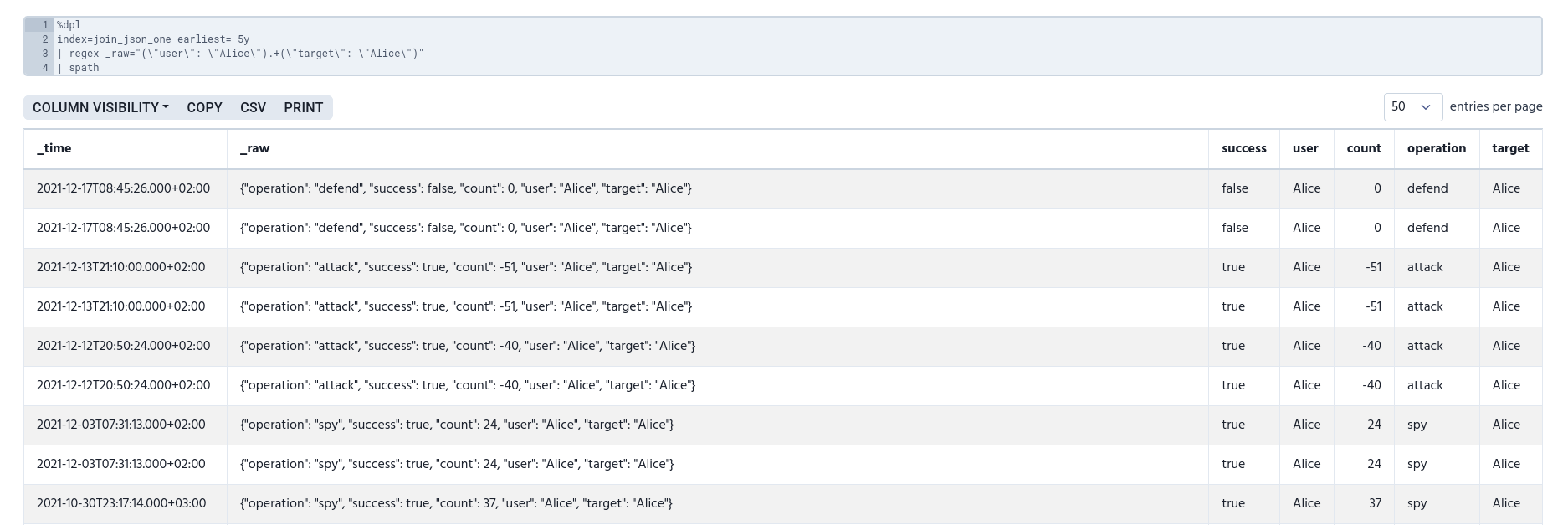
The following example searches rows that have 'Alice' both in user and target columns.
%dpl
index=join_json_one earliest=-5y
| regex _raw="(\"user\": \"Alice\").+(\"target\": \"Alice\")"
| spath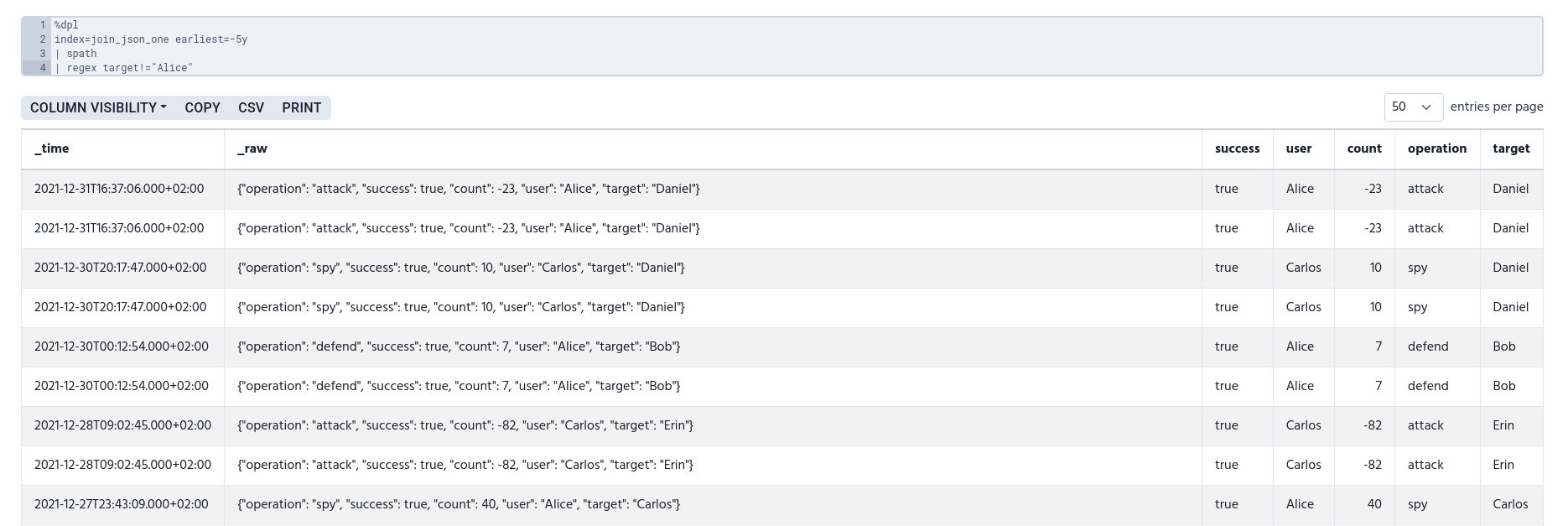
The following example filters out rows that has 'Alice' as the target.
index=join_json_one earliest=-5y
| spath
| regex target!="Alice"