addtotals
| This command is experimental |
Definition
addtotals calculates the arithmetic sum for all or selected numeric values per table row. Results appear in a separate table column.
If you use the optional argument col, addtotals also calculates the arithmetic sum for columns. The same can be achieved by using addcoltotals.
Syntax
| addtotals [row=<boolean>] [col=<boolean>] [labelfield=<column>] [label=<string>] [fieldname=<column>] [<column-list>]Examples
Use addtotals to calculate the arithmetic sum per row for all numerical values.
%dpl
| makeresults
| eval test=1
| eval test2=3
| addtotals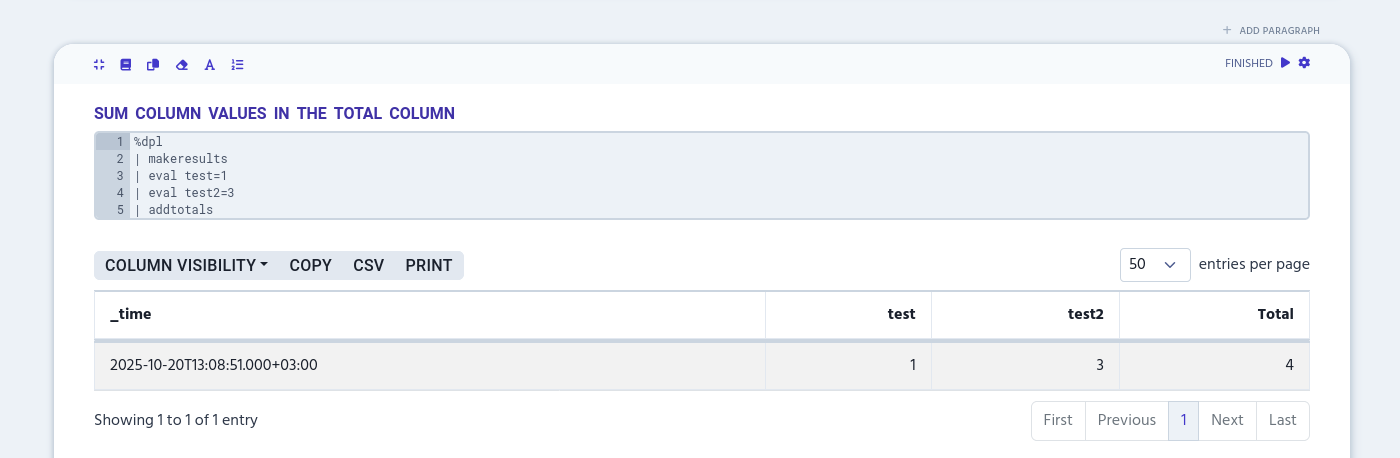
Column list
List column names to specify, which values addtotals sums per row to the Total column. You can use wildcards in column names to include multiple columns that have, for example, a same prefix. Use a space or a comma to separate values.
%dpl
| makeresults count=2
| eval test=1
| eval test2=3
| eval test3=10
| addtotals col=true test, test3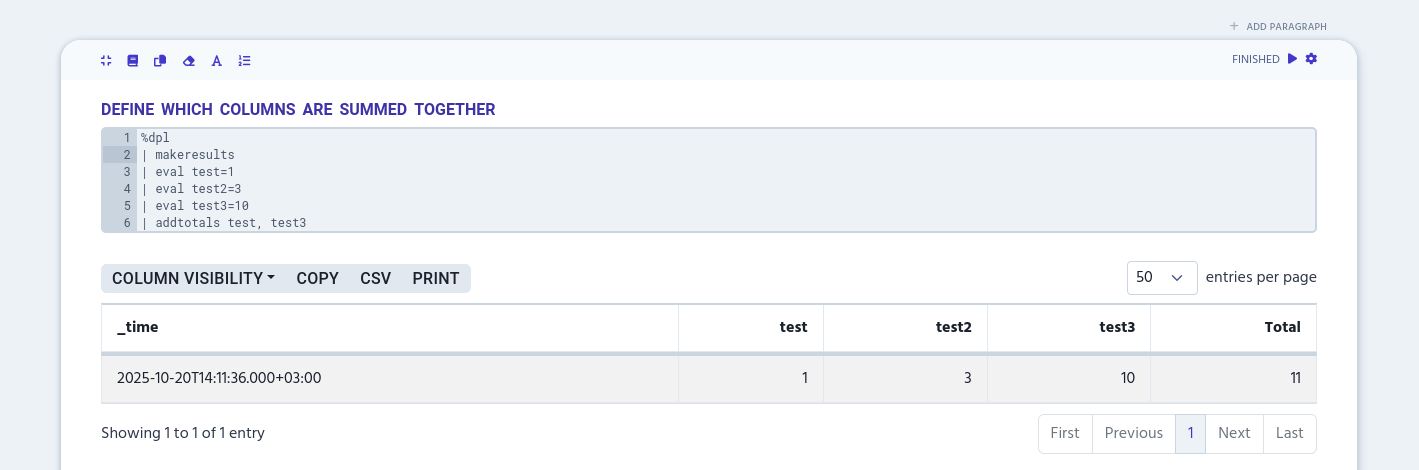
row
Use row argument to define if the additional Total column is visible. The argument takes a boolean value and is set to TRUE by default.
%dpl
| makeresults
| eval test=1
| eval test2=3
| addtotals row=false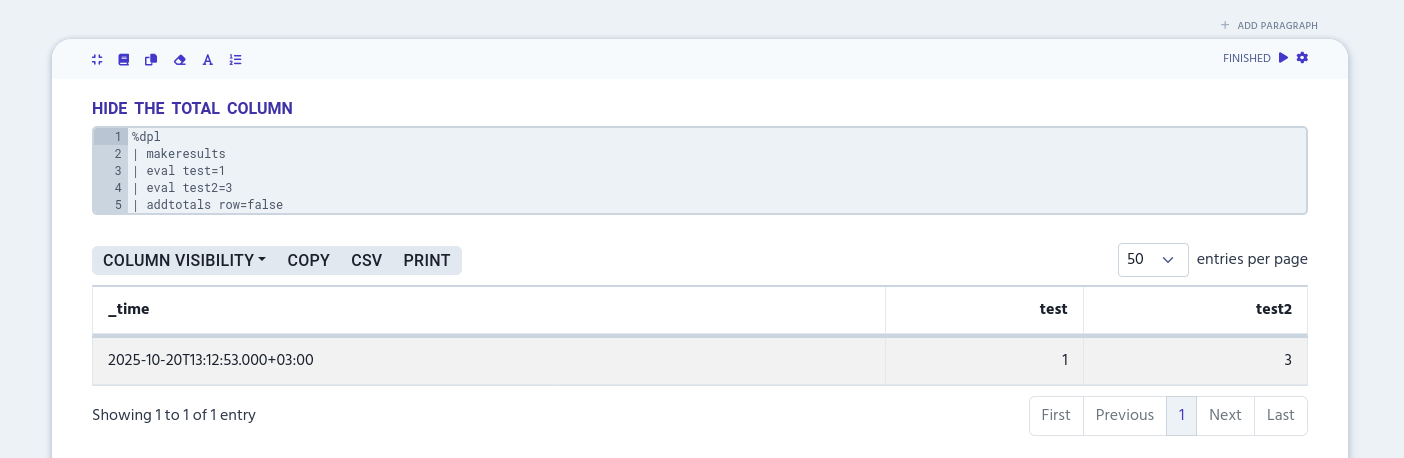
fieldname
Use fieldname to rename the column name that shows the total sum per row. You can use the argument only when the row argument is set to TRUE.
%dpl
| makeresults
| eval test=1
| eval test2=3
| addtotals fieldname="Total sum"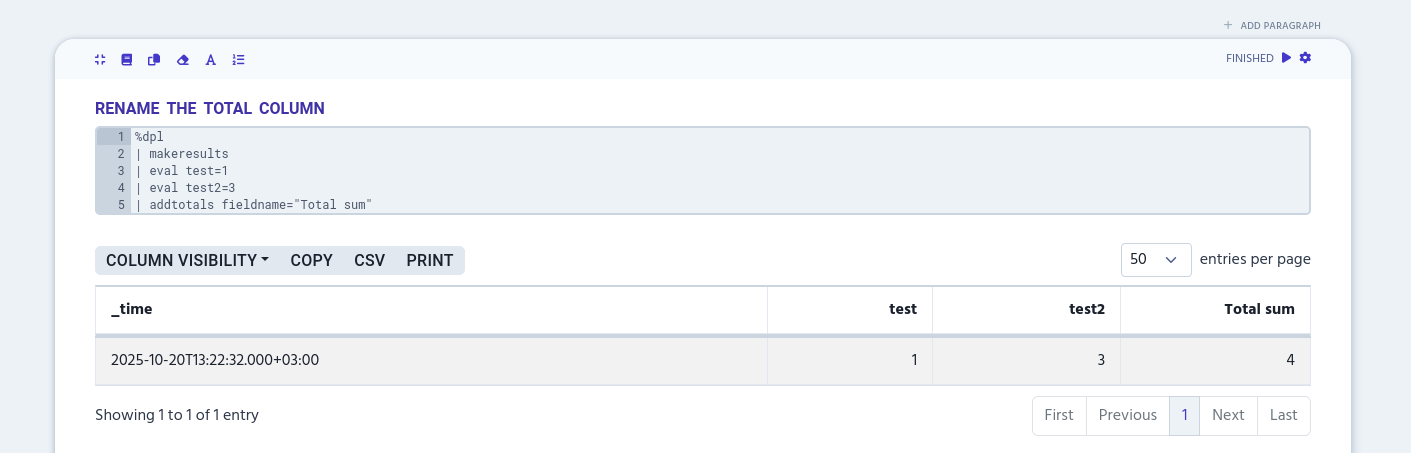
col
Use col argument to define if the additional summary row is added at the end of results. The argument takes a boolean value and is set to FALSE by default.
%dpl
| makeresults count=5
| eval test=1
| eval test2=3
| addtotals col=true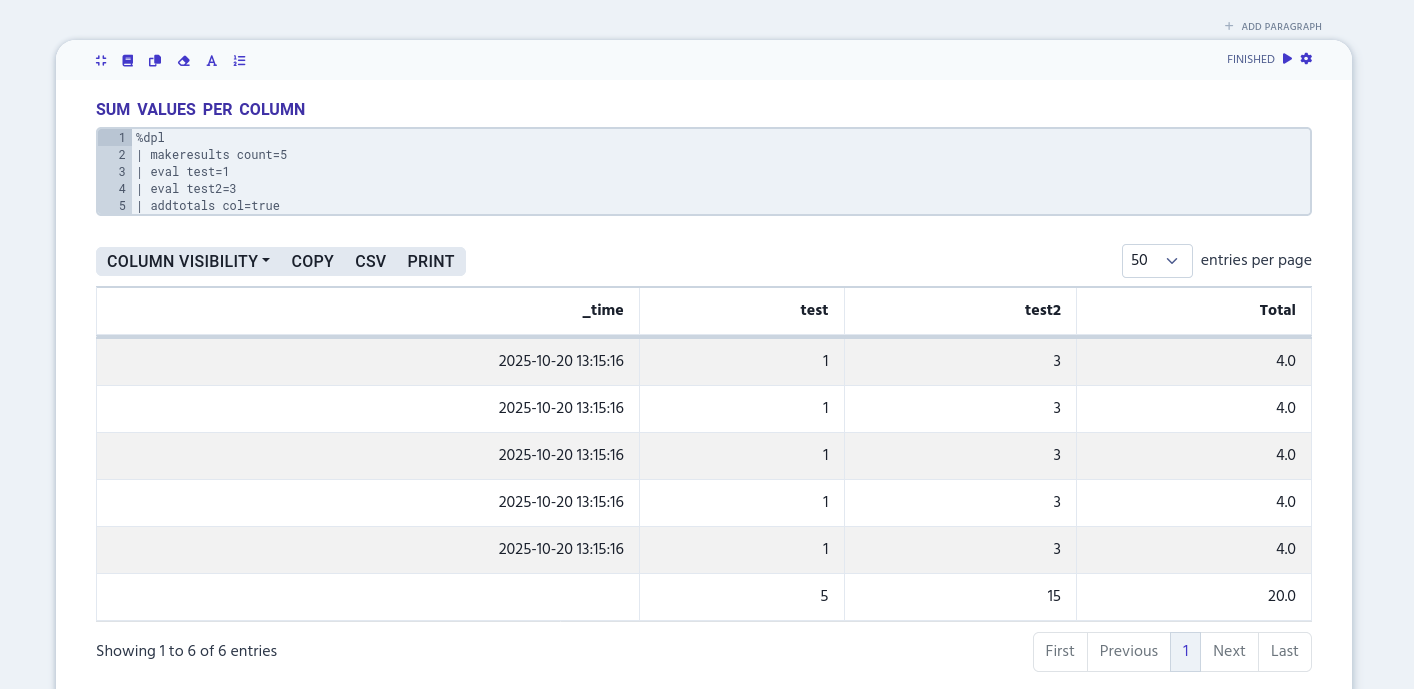
labelfield
Use labelfield argument to define which column is used to show the last row’s 'Total' text. The argument works only when col is set to TRUE. If the column doesn’t exist, labelfield will create a new one.
%dpl
| makeresults count=5
| eval test=1
| eval test2=3
| addtotals col=true labelfield=_time|
Currently, |
label
Use label to rename the 'Total' text that appears when labelfield argument is used. Both label and labelfield works only when col is set to TRUE.
%dpl
| makeresults count=5
| eval test=1
| eval test2=3
| addtotals col=true labelfield=_time label="Total sum"|
Currently, |