fillnull
Definition
Examples
Use fillnull to fill all empty rows. By default, fillnull replaces the null value with a zero.
The following example extracts sales_inventory index’s customer IDs to a separate column and then fills empty rows with zeroes. table command is used to show only '_time' and 'customerId' columns.
%dpl
index=sales_inventory earliest=-5y
| rex4j field=_raw "customerId=\"(?<customerId>[a-zA-Z0-9]+-[a-zA-Z0-9]+-[a-zA-Z0-9]+-[a-zA-Z0-9]+-[a-zA-Z0-9]+)"
| fillnull
| table _time, customerId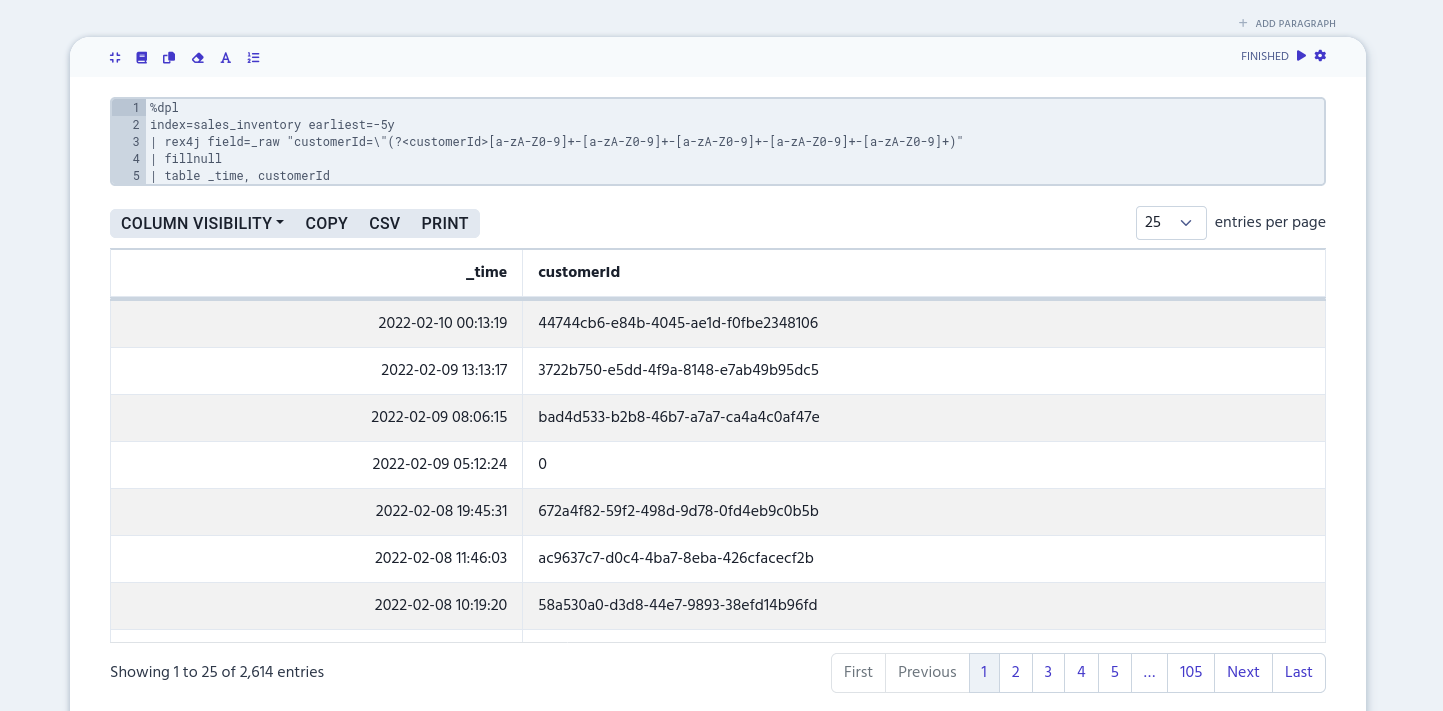
value
Use value to define what string fillnull uses to replace null values.
The following example extracts customer IDs to a separate column and fills null values with "Missing customer ID" text. table column is used to show only '_time' and 'customerId' columns.
%dpl
index=sales_inventory earliest=-5y
| rex4j field=_raw "customerId=\"(?<customerId>[a-zA-Z0-9]+-[a-zA-Z0-9]+-[a-zA-Z0-9]+-[a-zA-Z0-9]+-[a-zA-Z0-9]+)"
| fillnull value="Missing customer ID"
| table _time, customerId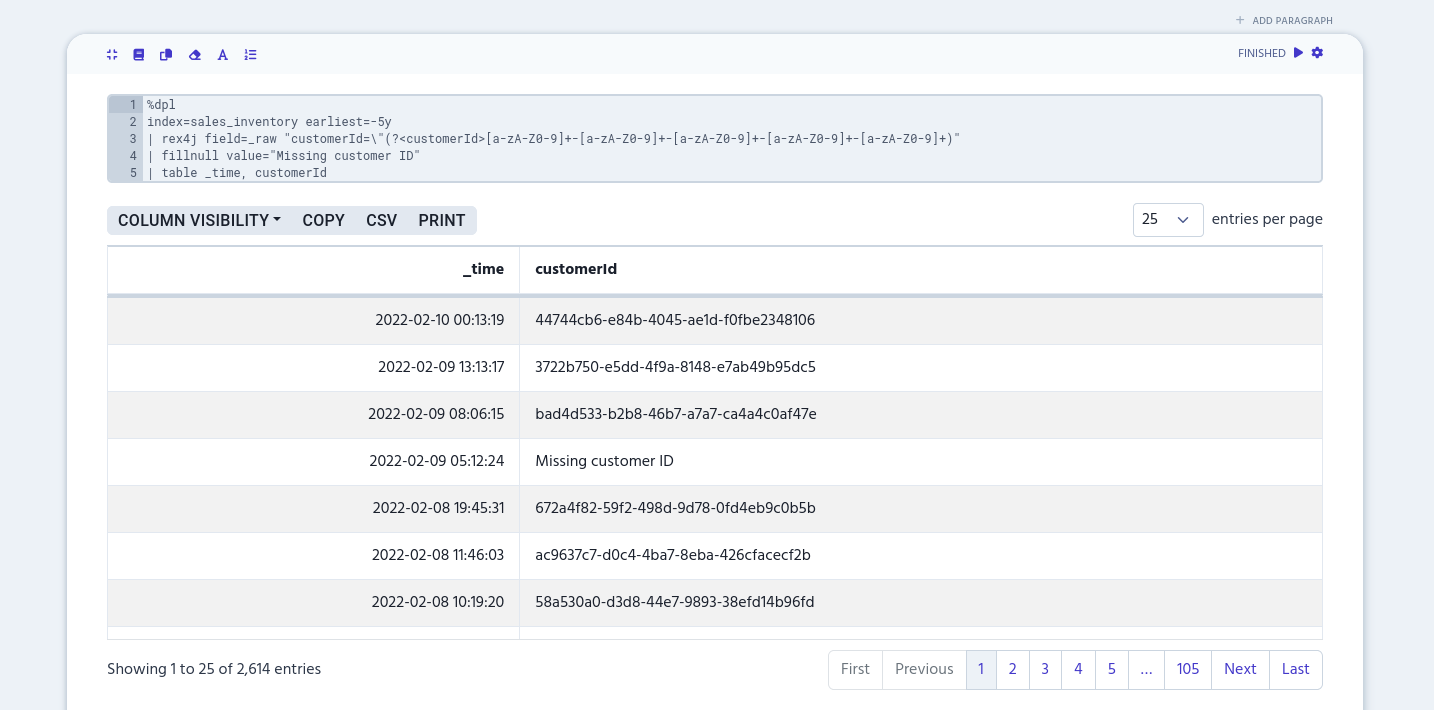
Column list
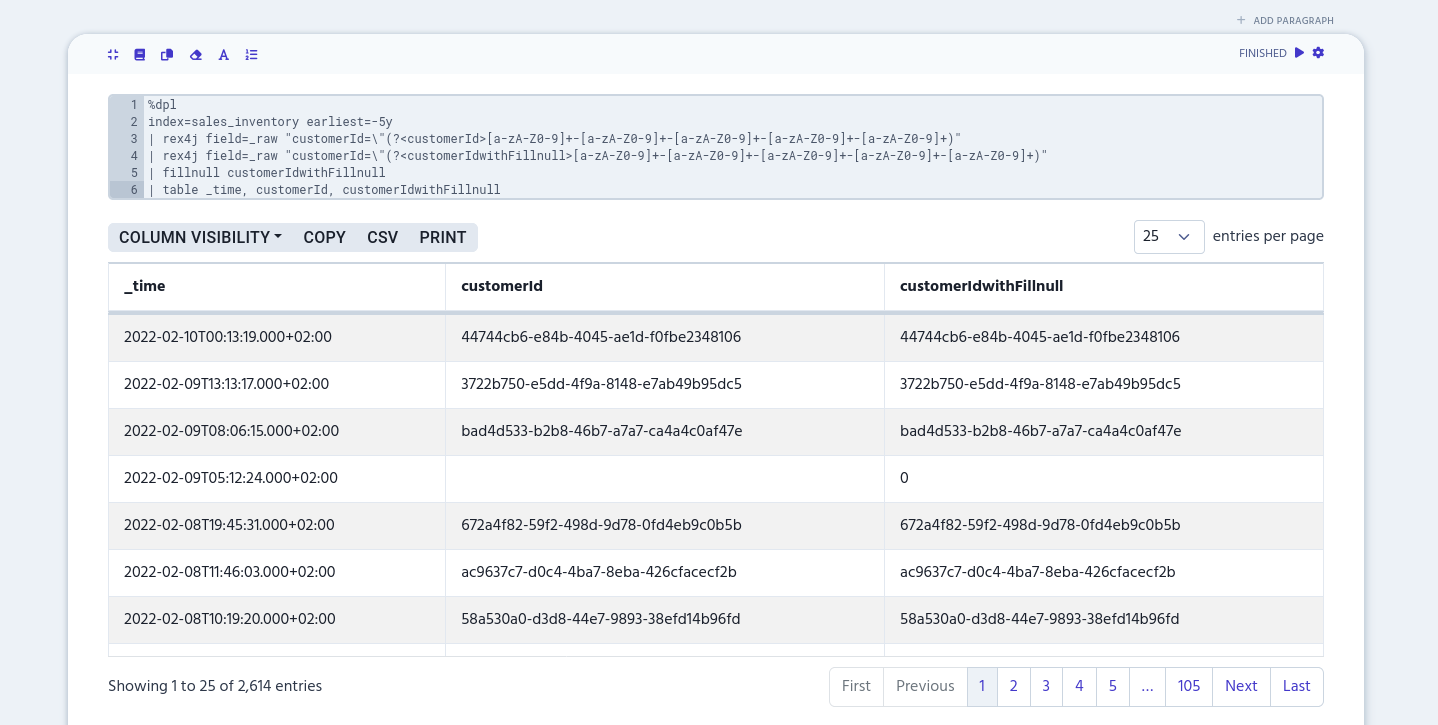
You can specify which column’s empty rows are filled in with fillnull. You can define one or more columns by separating them with a comma or a space.
The following example extracts customer IDs twice in separate columns: 'customerId' and 'customerIdWithFillnull'. Then fillnull fills empty rows only in 'customerIdWithFillnull' column. table command is used to show only '_time', 'customerId' and 'customerIdWithFillnull' columns.
%dpl
index=sales_inventory earliest=-5y
| rex4j field=_raw "customerId=\"(?<customerId>[a-zA-Z0-9]+-[a-zA-Z0-9]+-[a-zA-Z0-9]+-[a-zA-Z0-9]+-[a-zA-Z0-9]+)"
| rex4j field=_raw "customerId=\"(?<customerIdWithFillnull>[a-zA-Z0-9]+-[a-zA-Z0-9]+-[a-zA-Z0-9]+-[a-zA-Z0-9]+-[a-zA-Z0-9]+)"
| fillnull customerIdWithFillnull
| table _time, customerId, customerIdWithFillnull