rex4j
|
This command is experimental |
Definition
With rex4j command you can either extract data from columns based on a given regular expression, or replace characters in a column using sed expressions.
rex4j command is used in the same way as rex command, however rex4j is using Teragrep specific Java regex, so it is designed to be executed faster.
Syntax
| rex4j [field=<column-name>] ("<regex-expression>" [max_match=<integer>] [offset_field=<string>] | mode=sed "<sed-expression>")Examples
Use either a regular expression to extract data into a separate column or a sed expression to replace or substitute values that match with the regular expression.
To extract data, you can add only the regular expression after rex4j if you’re extracting from the _raw column.
index=sales_inventory earliest=-5y
| rex4j "(?<ID>\w{8}-\w{4}-\w{4}-\w{4}-\w{12})"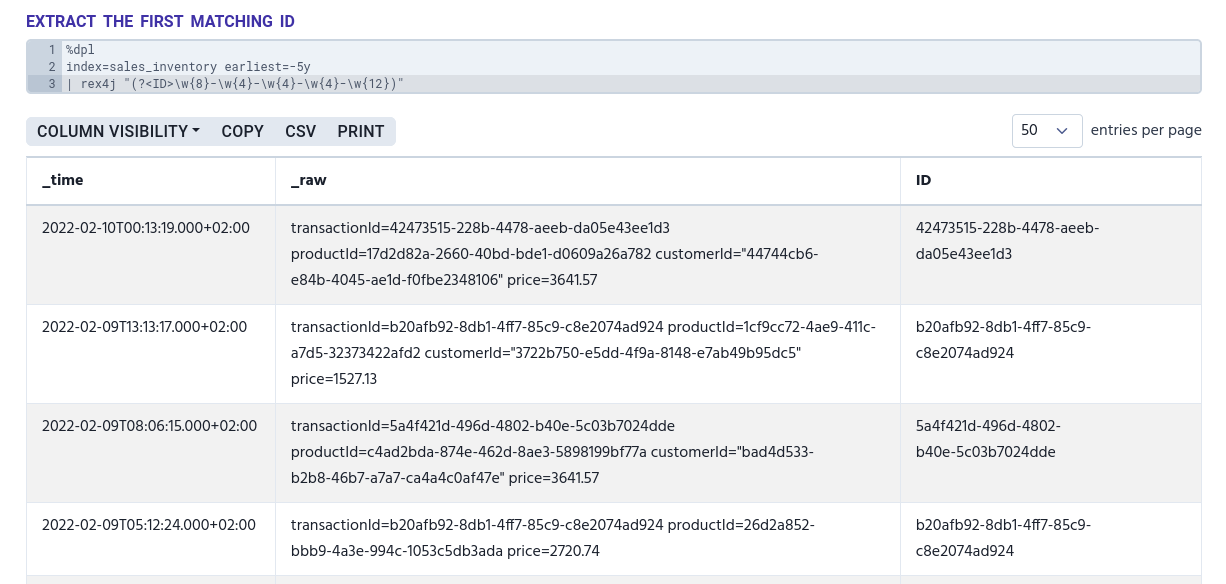
To replace values, use mode=sed and then add the sed expression.
| rex4j mode=sed "[s|y]/<regex-expression>/<replacement>/[g|Ng|N]"In the sed expression:
-
sreplaces strings -
yreplaces substitute characters -
/is a delimiter -
greplaces all -
Ngreplaces globally the Nth occurrence -
Nreplaces the Nth occurrence
|
Only |
The following example uses sed expression to replace a certain ID with the product’s name for all matches.
index=sales_inventory earliest=-5y
| rex4j mode=sed "s/17d2d82a-2660-40bd-bde1-d0609a26a782/legendary book/g"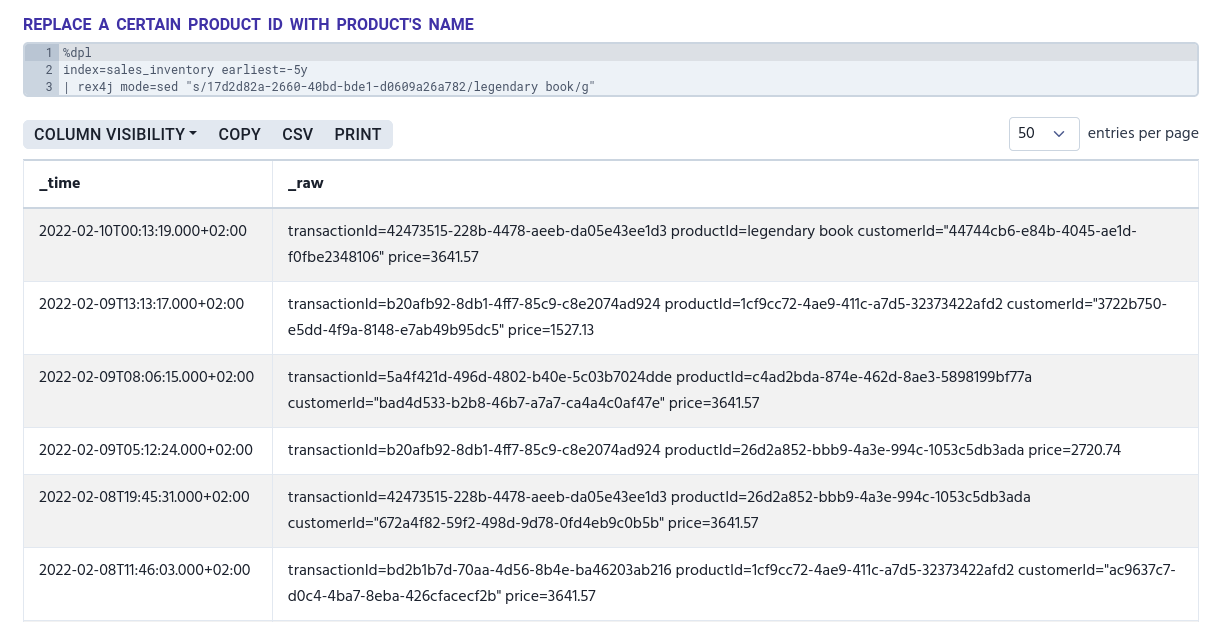
field
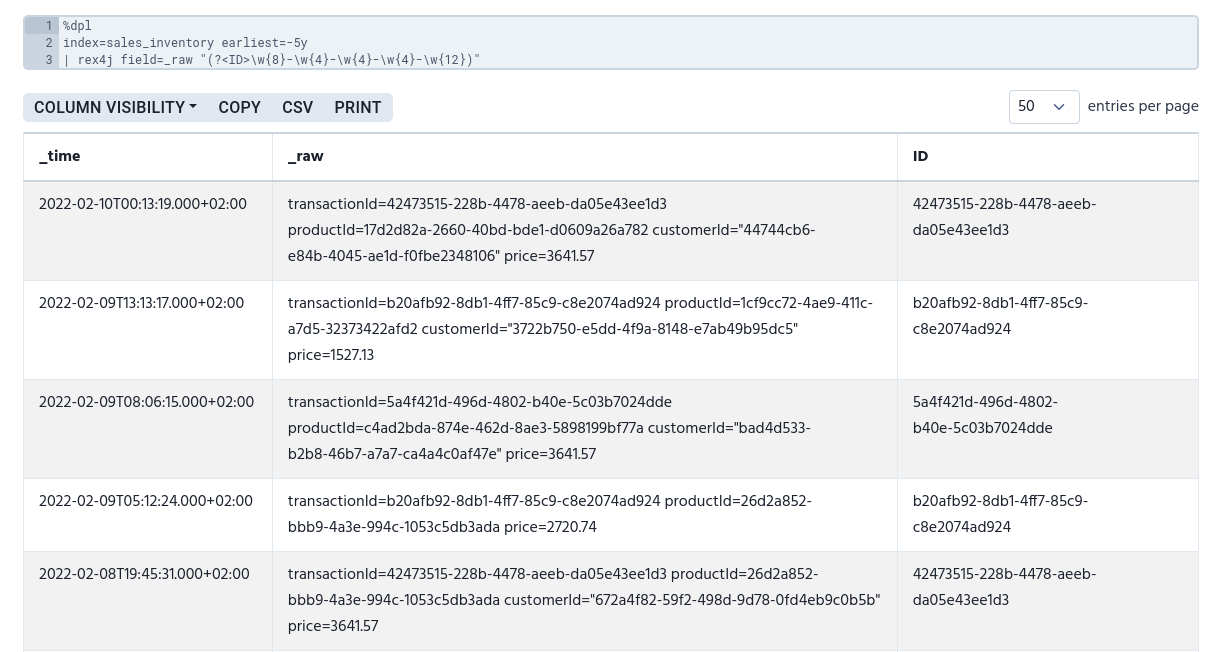
With field argument you can define which column you want to extract data from.
index=sales_inventory earliest=-5y
| rex4j field=_raw "(?<ID>\w{8}-\w{4}-\w{4}-\w{4}-\w{12})"