log()
Table of Contents
Definition
log() function takes either one or two numerical values and returns the logarithm of the first value using the second value as base. If the second value is not given, this function returns the logarithm value of the given value with base 10.
Examples
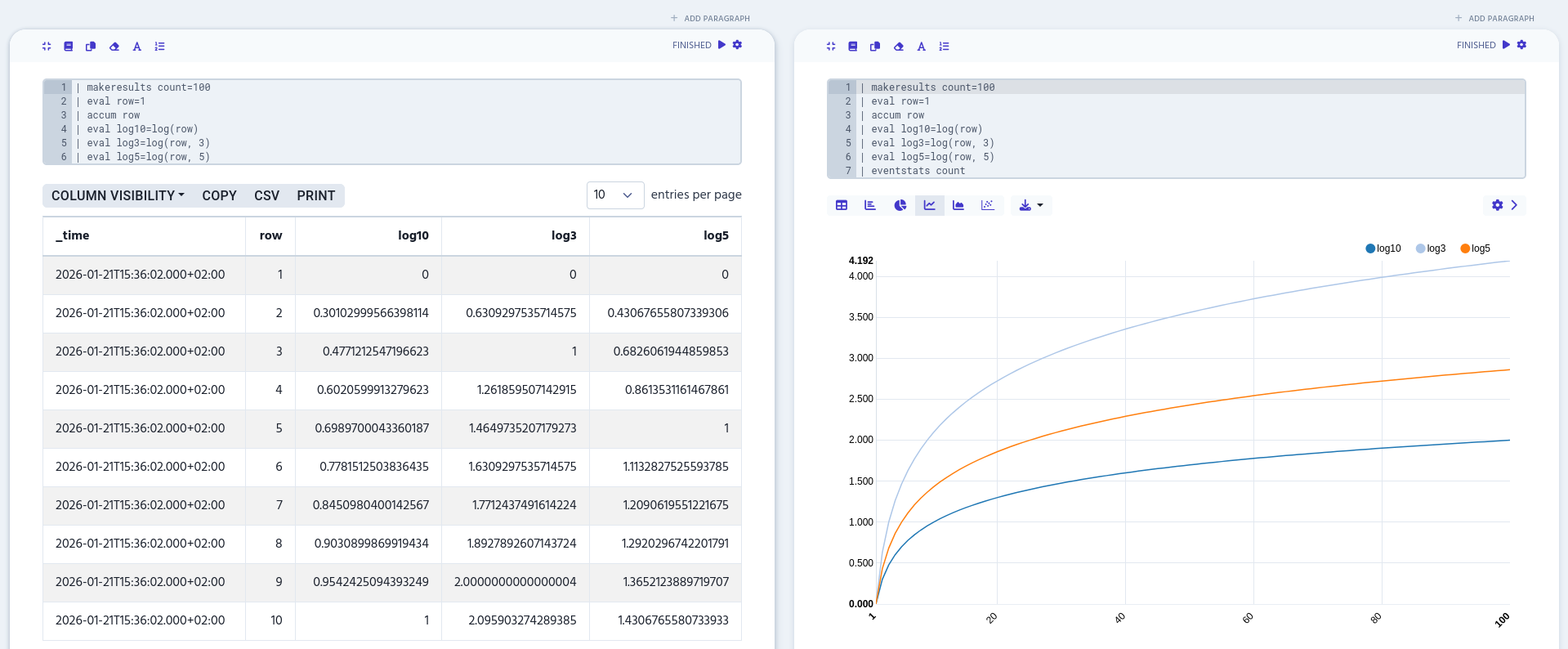
The following example calculates the logarithm with base values 3, 5, and 10 for each row column’s value and then turns it into a graph with eventstats.
| makeresults count=100
| eval row=1
| accum row
| eval log10=log(row)
| eval log3=log(row, 3)
| eval log5=log(row, 5)
| eventstats count